Table of Contents
A slow store loses sales before it loses rankings. Shoppers who wait for images to load, tap a button that does not respond or watch the page jump around tend to leave, often for a competitor one search away.
Core Web Vitals for ecommerce are Google’s way of measuring that experience. This guide explains what each metric means, how much speed really affects rankings, and the fixes that make the biggest difference on Shopify and WooCommerce stores. It is written for store owners and marketers who want a faster site without getting lost in developer jargon.
📌 TL;DR:
- Core Web Vitals measure loading (LCP), responsiveness (INP) and visual stability (CLS) for real visitors.
- Speed is a ranking factor, but relevance matters more. The bigger impact of a slow site is usually on conversions.
- On stores, the main causes are heavy images, too many apps or plugins, third party scripts and slow hosting.
- Fix templates, not single pages, because one fix improves every product or collection that uses it.
- Measure with field data in Search Console, then test changes with PageSpeed Insights.
What Are Core Web Vitals?
Core Web Vitals are three metrics Google uses to measure how a page feels to use. They are based on data from real Chrome users, not just lab tests.
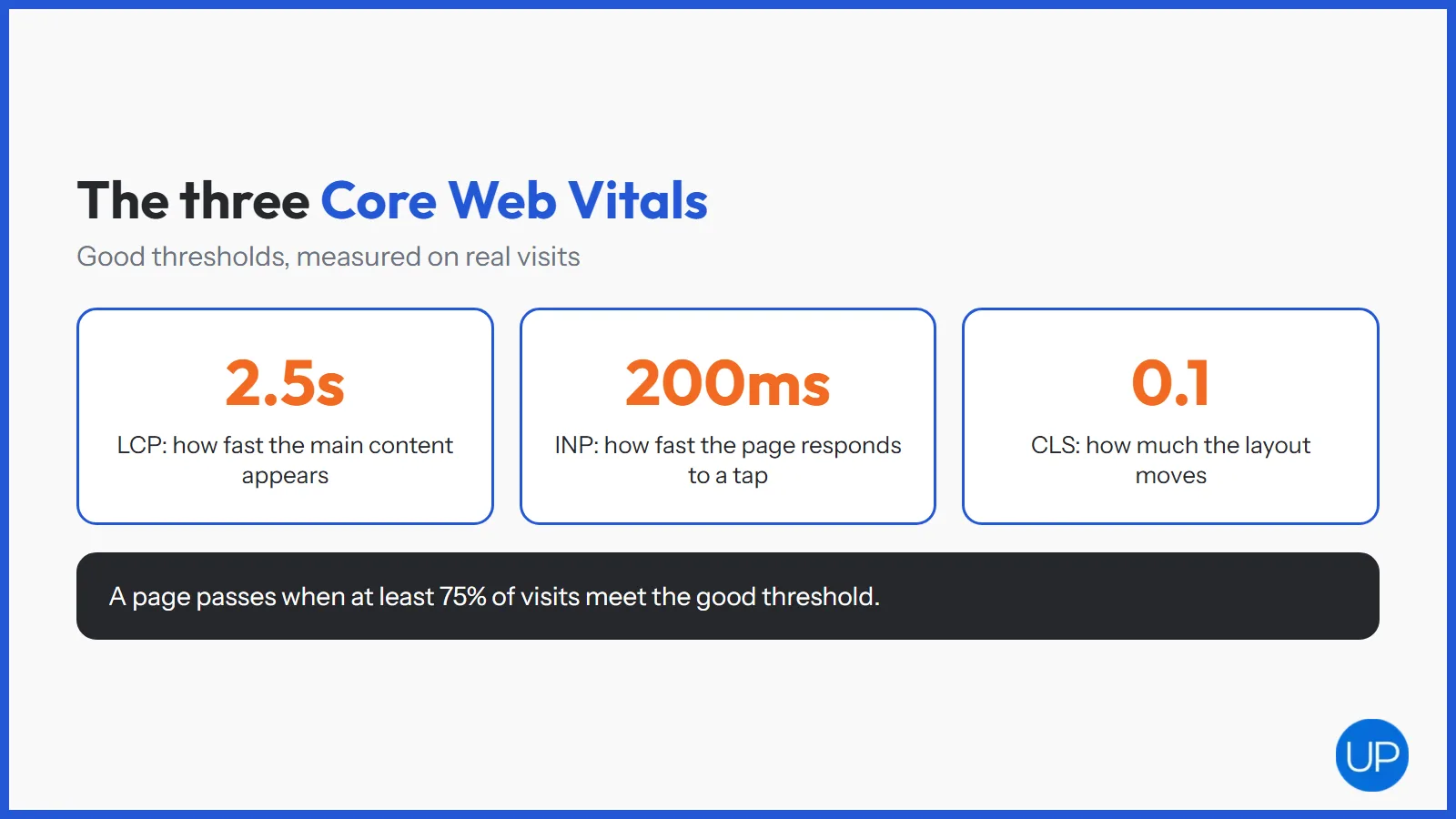
- Largest Contentful Paint (LCP): how long the main content, often the hero image or product photo, takes to appear. Good is 2.5 seconds or less.
- Interaction to Next Paint (INP): how quickly the page responds when someone taps or clicks. Good is 200 milliseconds or less. INP replaced First Input Delay in March 2024.
- Cumulative Layout Shift (CLS): how much the layout moves while the page loads. Good is 0.1 or less.
A page passes when at least 75% of visits meet the good threshold for each metric. Google’s Web Vitals documentation explains the thresholds in full.
How Do Core Web Vitals Affect SEO?
Core Web Vitals are part of the signals Google’s ranking systems use, but they are not the deciding factor. A fast page with weak content will not outrank a slower page that answers the search far better.
- Tie breaker effect. When pages are similar in relevance and quality, a better experience can tip the balance.
- Crawling. Faster servers let Googlebot crawl more pages, which matters on large catalogues.
- Indirect effects. Faster pages tend to keep shoppers longer, which supports the engagement a store needs to grow.
Why Does Speed Matter More for Online Stores?
For an ecommerce store, the cost of a slow page shows up in revenue before it shows up in rankings. Every extra second on a product page is a moment for a shopper to hesitate.
- Mobile shoppers often browse on weaker connections, so heavy pages hurt them most.
- Product pages carry large images, reviews, recommendations and payment widgets, all competing to load.
- Checkout journeys involve several pages, so small delays add up.
- Paid traffic lands on the same pages, so a faster site improves the return on ads too.
What Slows Ecommerce Sites Down?
Most store speed problems come from a short list of causes. Find out which apply to your templates before changing anything.
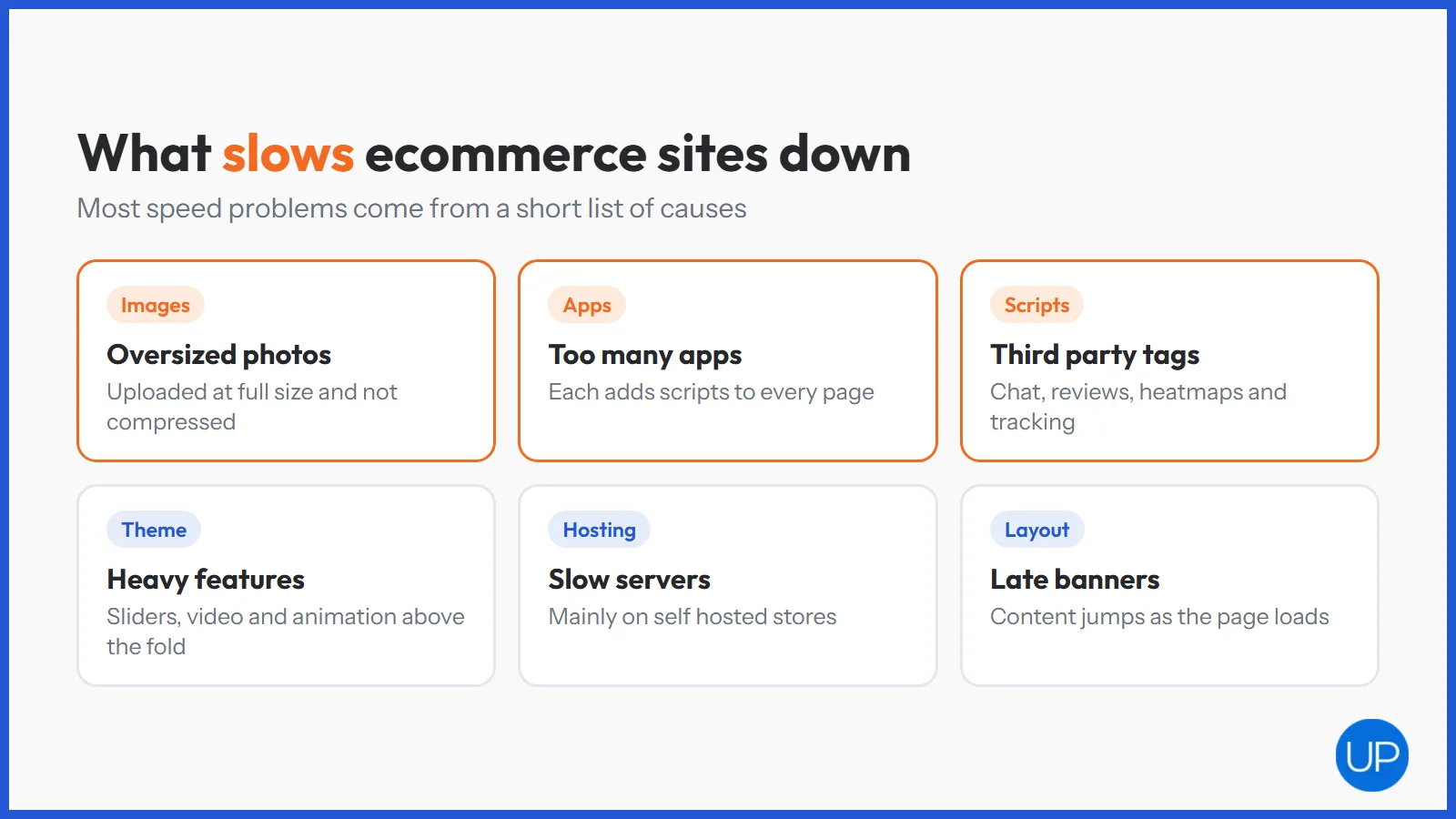
- Oversized images uploaded at full camera resolution and not compressed.
- Apps and plugins that each add JavaScript and CSS to every page, even where they are not used.
- Third party scripts such as chat widgets, review tools, heatmaps and tracking tags.
- Heavy themes with sliders, videos and animations above the fold.
- Slow hosting, mainly on self hosted platforms such as WooCommerce.
- Late loading banners and fonts that push content down and cause layout shifts.
How Do You Improve Core Web Vitals for Ecommerce?
Work on templates first. Fixing the product template improves every product page, and fixing the collection template improves every collection.
- Improve LCP: compress and resize hero and product images, serve WebP, and do not lazy load the main image.
- Improve INP: remove unused apps, delay non essential scripts and reduce heavy JavaScript on product pages.
- Improve CLS: set width and height on images, reserve space for banners and reviews, and load fonts carefully.
- Clean up leftovers: uninstalled apps often leave code behind in the theme.
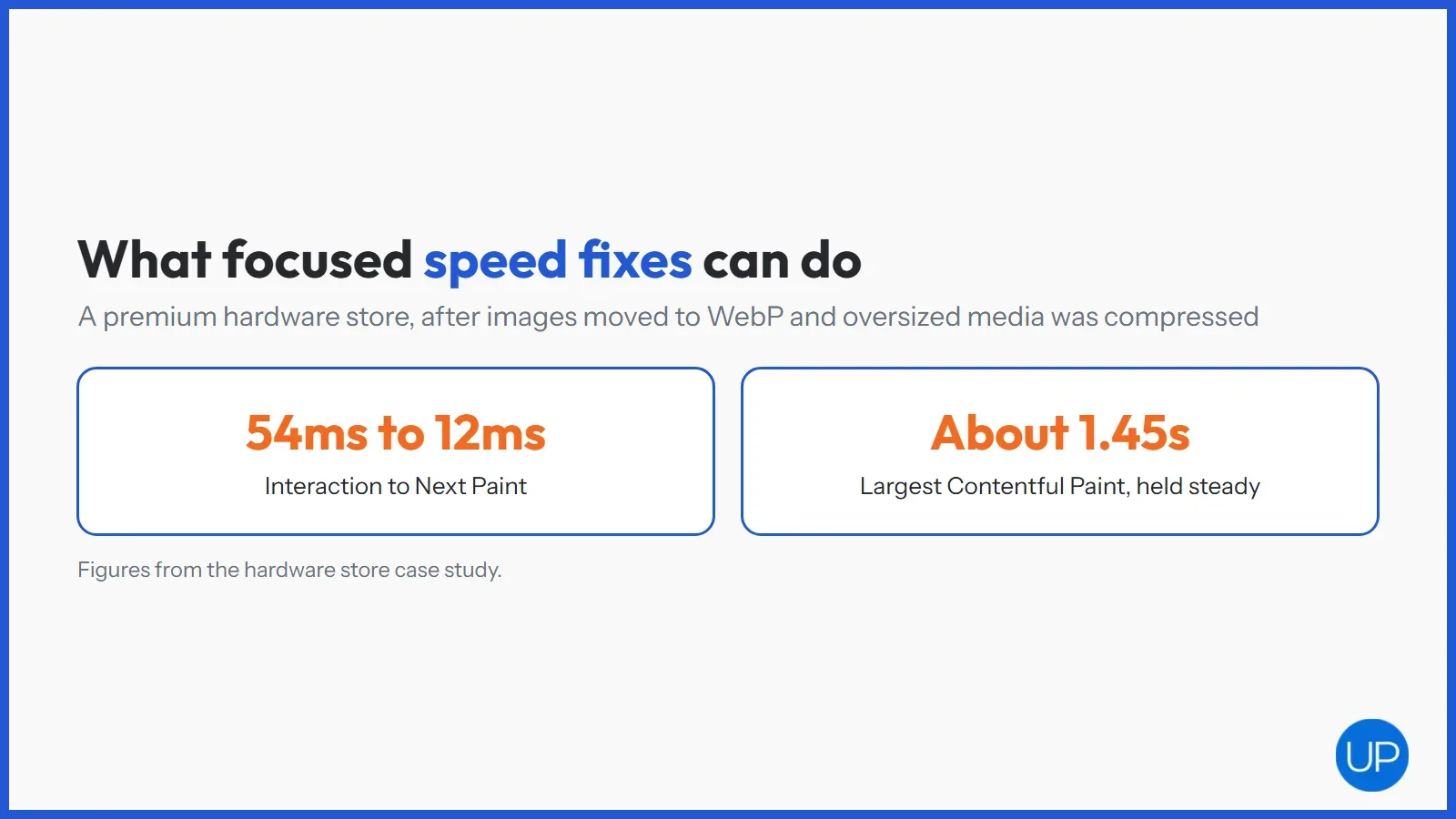
A US Shopify store selling premium brass hardware shows what focused fixes can do. After images were converted to WebP, oversized media compressed and duplicate pages removed, Interaction to Next Paint dropped from 54ms to 12ms, with LCP steady at about 1.45 seconds.
What Is Different on Shopify and WooCommerce?
The metrics are the same on every platform, but the causes and fixes differ.
- Shopify: hosting is fast and managed, so the usual culprits are apps, theme features and third party scripts. Specialists in Shopify SEO for ecommerce brands tend to start with an app audit.
- WooCommerce: hosting, caching and database performance matter much more, alongside plugin load. WooCommerce SEO work usually begins with the server and caching setup.
How Do You Measure Core Web Vitals?
Use field data to find problems and lab data to test fixes. They answer different questions, so use both.
- Google Search Console: the Core Web Vitals report groups URLs by status using real user data.
- PageSpeed Insights: shows field data for a URL where available, plus a lab test with specific suggestions.
- Chrome DevTools and Lighthouse: help developers trace which scripts and images cause the delays.
- Before and after checks: record results for each template before you change anything, then compare.
Field data takes around four weeks to reflect changes, so do not judge a fix the day after it goes live. Speed is one part of our technical SEO checklist for ecommerce, which covers the other checks worth running at the same time.
When Should You Get Help With Site Speed?
Image compression and removing unused apps are manageable in house. Deeper problems, such as theme code, script loading and server setup, usually need a developer or specialist.
- Failing templates that stay red after the basic fixes.
- Large catalogues where crawl efficiency also matters.
- Theme changes or migrations that could make performance worse.
A technical SEO audit can pinpoint the exact scripts and templates holding the store back. Where speed is one of several issues, SEO audit services put every fix in order of impact.
Where Should You Start?
Core Web Vitals for ecommerce are about the experience shoppers have on your product and collection pages. Check the Search Console report, find the failing templates, and fix images, apps and scripts in that order.
Speed alone will not lift weak pages up the rankings, but it makes every other improvement work harder and keeps more shoppers on the path to checkout. Treat performance as part of the routine rather than a one off project, ideally with an SEO ecommerce agency or developer keeping an eye on it after every change.
Frequently Asked Questions
Core Web Vitals are one of the signals Google’s ranking systems use to assess page experience. They rarely outweigh relevance and content quality, but they can make a difference between similar pages. Their bigger effect for stores is on conversions.
Open the Core Web Vitals report in Google Search Console to see which groups of URLs pass or fail, based on real user data. For a single page, enter the URL in PageSpeed Insights, which shows field data where available and a lab test.
Focus on the templates that fail, starting with the biggest causes. For most stores that means compressing images, removing unused apps or plugins, delaying non essential scripts and reserving space for images and banners so the layout does not shift.
Yes, but it is one of many factors. Google uses page experience signals, including speed, in its ranking systems, while relevance and quality still matter most. Faster sites also help Google crawl more pages and keep visitors engaged.
The 3 second rule is the idea that a page needs to load and show its value within about three seconds, or many visitors will leave. It is a rule of thumb rather than a Google metric, but it reflects how impatient shoppers are on mobile.